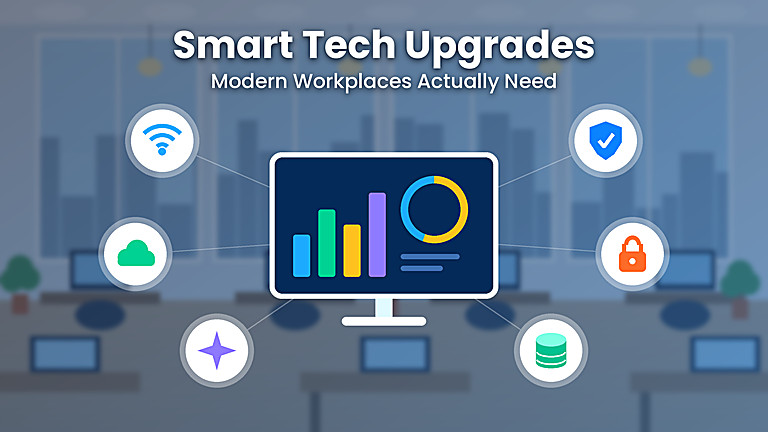
Technology plays an important role in a smart office. Modern workplaces need the right technology to make daily tasks easier. Nobody would like to work on a slow internet connection because it can delay your tasks. Poor meeting room equipment can waste time. Outdated computers can make even simple work difficult. New technology is introduced every year for offices.
Here are some smart technology upgrades that can make a real difference in your workplace.
1. High-Speed Wi-Fi 6/7 Networks
Your employees use the internet for emails, video calls, cloud platforms, and file sharing. A slow connection can affect all these activities. A high-speed and reliable internet connection is one of the first things that a workplace must have.
Wi-Fi 5, Wi-Fi 6, and broadband offer faster speeds and better network performance. They can also handle more connected devices at the same time. If you have a large office with many employees, you should select a reliable internet provider and networking system.
2. Cloud Storage and Collaboration Platforms
Cloud storage and collaboration platforms store files on remote servers. This lets teams work on them together in real time. You can share documents, images, code, and other content easily online with different people. Platforms such as Google Drive, Microsoft OneDrive, and Dropbox allow you to store files online. Your team can access documents from different locations and devices.
3. AI-Powered Productivity Tools
AI tools are becoming useful in everyday office work. You can use AI to write emails, prepare reports, summarise long documents, and organise information. These tools can save time on repetitive tasks. Your employees can then focus on work that needs human attention and decision-making. You can choose AI tools based on your office needs.
4. Smart Meeting Room Technology
Meetings are a regular part of office life. But outdated equipment can make them frustrating. Smart meeting room technology brings these features together. You can use a central control system to manage displays, speakers, microphones, lighting, and video calls. A well-equipped meeting room helps your team start discussions on time. It also makes meetings easier for remote employees who join online.
5. Video Conferencing and Unified AV Systems
If your employees work from different locations, a good video conferencing system is important. A basic webcam and laptop microphone may not provide a good experience in a large meeting room.
Unified audio-visual (AV) systems take this a step further. They connect different meeting room devices through one control platform. You can manage video calls, presentations, and audio settings without switching between multiple controls.
6. Mobile and Biometric Access Control
Smart access control systems offer more flexible options. You can allow employees to enter the workplace using mobile credentials, PINs, or biometric verification. Biometric systems may use fingerprints or facial recognition to verify identity. Mobile access systems allow employees to use their smartphones instead of physical cards.
7. Automated Environmental Controls (IoT and HVAC)
Smart environmental controls use connected sensors to monitor office conditions. These systems can adjust heating, ventilation, and air conditioning (HVAC) based on temperature and occupancy. You can also install smart lighting that switches off automatically when a room is empty.
8. High-Performance Laptops and Workstations
Computer and laptop companies upgrade hardware and software systems every year. So they can provide you with more and more work efficiency, speed, and lower energy consumption. Older machines can take longer to start, run slowly, and struggle with modern software.
If your team works with large spreadsheets, design applications, or multiple browser tabs, a basic computer may not be enough. Businesses should also ensure they have the right employees to manage these technologies. Professional staffing and recruiting services can help companies find skilled professionals who can handle modern workplace tools and support their technology needs.
Choose laptops and workstations based on the type of work your employees do. For regular office tasks, a modern business laptop with enough RAM and a fast SSD is usually a good starting point. For video editing, graphic design, and data processing, you may need a more powerful workstation.
9. Cybersecurity Solutions
As your workplace becomes more connected, protecting company data becomes more important. Employees use email, cloud platforms, and business applications every day. A single security mistake can put important information at risk. Modern workplace cybersecurity solutions must shift from static, perimeter-based defenses to dynamic.
10. Automated Data Backup and Recovery
Files may disappear because of accidental deletion, hardware failure, malware, or other unexpected events. Automated backup systems help protect your important information. You can schedule backups to run without asking employees to save files manually. You can keep backups in a separate secure location. A backup is only useful if you can restore your files when needed.