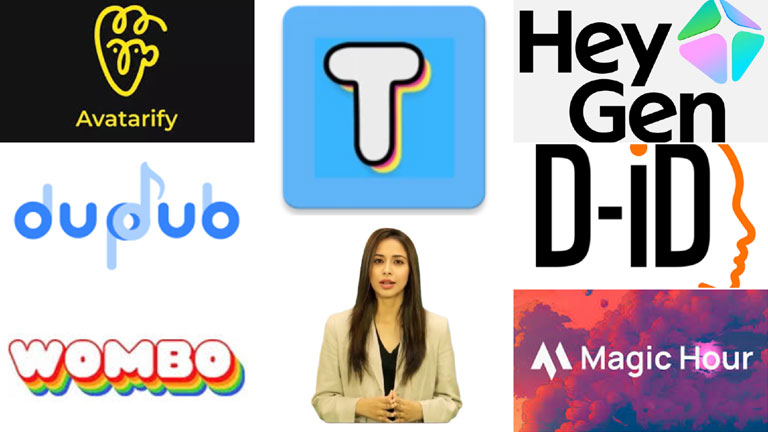
AI tools that turn a still image into a talking avatar are booming in 2025. Creators, educators, and marketers are using them to make photos speak, adding voice, expressions, and movement to static images. In fact, experts note that making a photo “talk” has become a game-changing tool for storytelling and engagement.
Talking photos are trending on social media and across the online world. You can use your own text and voice, or even use your own photo or another person’s photo, to make it speak exactly what you want. AI talking animations have gained massive popularity over the past few years. They have become a fun and engaging tool for social media users, while also helping businesses promote their ideas, reach online audiences, and present information in a professional and impactful way.
Top 7 AI Talking Photo Generators in 2025
Are you looking for AI tools that can generate a talking photo from text or voice? The following are seven of the most popular and accessible AI talking-photo generators that cover both free and paid options.
1. Magic Hour
Magic Hour is an all-in-one face-swap and AI talking photo platform known for its cinematic realism. It combines deep facial modeling with expressive motion mapping, yielding very lifelike animations. Users simply upload a photo and an audio or text script, and Magic Hour produces a seamless talking avatar with perfect lip-sync. It even includes built-in AI image editing and lip-sync tools for advanced workflows.
Pros:
- Extremely realistic facial animation and lighting consistency.
- Natural-looking talking-photo videos with accurate lip-sync.
- Integrates with AI editing tools (image editor, lip-sync AI) for extra control.
- High export quality; browser-based editing (no app needed).
Cons:
- Free exports carry a watermark.
- Best results require good source photos (well-lit, frontal faces).
Pricing: Magic Hour offers a free plan, but professional features require a subscription (Pro plan from about $49/month).
2. D-ID
D-ID is a leading professional-grade talking-photo service. Its “Live Portrait” technology can animate any photo into a talking video with highly realistic motion. You upload an image, add text or an audio clip, and D-ID synchronizes lip and head movements to create a natural talking avatar. It supports text-to-speech in many languages and even lets you upload your own voice recording. D-ID is popular with agencies and developers because it offers a robust API for easy integration.
Pros:
- Very natural-looking talking photos with accurate lip-sync.
- Supports 50+ languages and multiple voices (AI voice or your own).
- Offers an API and studio tools, making it developer-friendly for scale.
Cons:
- Limited editing flexibility for fine-tuning beyond basic animation.
- Only available as a paid subscription (no permanent free tier).
Pricing: D-ID provides a free demo (trial) with limited credits; paid plans start around $5.9 lite, $24 pro, and $196 advanced per month.
3. HeyGen
HeyGen is an easy-to-use AI video platform that includes talking-photo features. It lets you quickly create realistic talking avatars from uploaded photos by picking a voice (pre-recorded or custom) and entering text. HeyGen is known for a simple, friendly interface that even beginners can use. It is especially popular with educators and marketers for explainer videos, since it can generate both speech and background gestures. The platform supports over 1400 avatars and 175 languages, and you can also add background music.
Pros:
- Realistic talking avatars with lifelike facial expressions.
- Text-to-speech and voice recording options, plus background music support.
- Collaboration features (team editing) and video templates make group projects easy.
Cons:
- Free tier has limited video minutes and includes watermarks.
- Avatar customization options are somewhat limited on lower plans.
Pricing: HeyGen offers a free basic plan (unlimited talking photos, but at lower resolution). Premium subscriptions with HD and extra features start at about $24 per month for the creator and $39 for team per month.
4. Avatarify AI
Avatarify AI is a free, open-source tool for animating photos in real time. It was originally designed for live video calls and streams: it tracks your face and maps another person’s photo onto it in real time. You can also use it to turn a static photo into an animated avatar. Because it runs on your desktop, there are no usage limits or watermarks. It is very popular among casual users and developers who like experimenting with live face swaps.
Pros:
- Completely free and open-source – no subscription needed.
- Real-time face tracking and animation (works offline on PC).
- Highly customizable (styles, filters) if you are technically inclined.
Cons:
- Requires a powerful GPU for smooth performance.
- Setup can be technical; not as plug-and-play as web apps.
- Animations can be less polished and more limited (no audio, just facial movement).
Pricing: They provide a free + paid option that starts from $1, $8 for a bundle of 10, and $15 bundle of 25.
5. Tokking Heads
Tokking Heads is a mobile app (iOS/Android) geared toward fun, quick talking pictures. You upload a face photo, and the app animates it with speech and expressions in seconds. It also lets you add effects like text bubbles, filters, or music. Because it is a simple app, it is very user-friendly – even kids can use it. It’s widely used for creating funny talking selfies and short meme videos.
Pros:
- Totally free to use and available on both iOS and Android.
- Very easy and fast to use – great for short, casual clips.
- Real-time face animation with decent expression tracking.
Cons:
- Animation is basic (limited to preset motions) compared to Pro Tools.
- All free outputs have a watermark (no option to remove).
- Limited customization: you cannot fully fine-tune lips or use your own voice.
Pricing: they offer both free version and paid that start from $12.99 per month.
6. Wombo (Wombo AI)
Wombo is a fun AI lip-sync app that made waves with “singing selfies.” It takes a face photo and automatically animates the mouth and head to match a chosen song or audio track. In 2025, Wombo is still popular for viral content and entertainment. You just pick a song or audio clip, upload a selfie, and Wombo generates a short animated video with surprisingly good lip-sync. This is mainly a casual tool for social media memes.
Pros:
- Instantly creates talking (or singing) photos in just a few clicks.
- Very easy to use on mobile (just a few taps).
- Great for fun and shareable videos (memes, holiday greetings, etc.).
Cons:
- Not intended for realism – the results look cartoonish, not professional.
- Few controls or editing options (you can’t change the voice beyond picking a clip).
- Free outputs may have branding or lower resolution.
Pricing: Free mobile app with optional in-app purchases (such as higher-quality exports). Monthly Plan: Approximately $9.99 per month. Annual Plan: Approximately $89.99 per year (may include a 3-day free trial). Lifetime Plan: A one-time payment, often listed at around $169.99, though limited-time deals have been offered for less.
7. DupDub
DupDub is a web-based AI talking photo tool aimed at creators who want full control. It offers advanced features like AI voice cloning (you can even use your own voice) and supports over 40 languages. DupDub’s free trial gives you a generous taste of all its features, but videos created in the free trial will have a watermark. This makes it easy to test different voices and lip-sync quality before subscribing. It is used by YouTubers and marketers who need customizable, high-quality talking avatars.
Pros:
- Full access to advanced features in the trial (voice cloning, multilingual support).
- Very accurate lip-sync and a wide selection of AI voices (male, female, character voices).
- High-resolution exports (HD quality) are even available on the free trial.
Cons:
- Free trial videos include a watermark.
- After the trial, you must subscribe to continue (no unlimited free version).
- Interface is more complex than fun apps, so it has a learning curve.
Pricing: DupDub offers a free trial (10 credits over 3 days) that includes a watermark. Paid plans (individuals $11, professional $30, and ultimate $110/month) remove watermarks and provide more usage credits.
This technique has emerged over the past few years and is still in its early stages. In the coming years, we can expect more progress, improvements, and a stronger sense of realism. Until then, you can try these tools or any others that suit your specific requirements.
How we chose these tools
We evaluated each candidate against a consistent checklist and hands-on testing where possible. Key selection criteria:
- Realism & lip-sync accuracy: how natural the mouth, head, and facial expressions look when driven by text or audio.
- Voice & language support: availability of high-quality TTS voices, custom voice uploads, and multilingual options.
- Customization & editing: ability to tweak timing, expressions, background, and export settings.
- Ease of use: onboarding time, templates, and whether non-technical users can get good results quickly.
- Output quality & formats: resolution, frame rate, and whether results are broadcast-ready.
- Privacy, consent & deployment options: whether the tool offers on-device/offline modes, clear data retention policies, or an API for enterprise use.
- Pricing & trial access: free tiers, watermark rules, and value for creators vs. enterprise users.
- Community & support: documentation, active updates, and developer integrations (APIs/SDKs).
FAQ for AI Talking Photo Generators
1. Question: Is it legal to animate someone else’s photo?
Answer: Legalities vary by jurisdiction. You should always get explicit consent from the person in the photo and follow the tool’s terms of service; using public figures or images under copyright may still carry restrictions.
2. Question: Can these tools clone my voice or someone else’s voice?
Answer: Many platforms support voice uploads or cloning, but they typically require voice samples and consent. Voice cloning is sensitive — read the provider’s policy and local laws before using it.
3. Question: Will my uploads be stored or used for training?
Answer: Data practices differ. Some vendors retain uploads for service improvement; others offer on-device or enterprise options that don’t store data. Always check the privacy policy before uploading sensitive images.
4. Question: How do I remove watermarks?
Answer: Watermarks are usually removed by upgrading to a paid plan or buying export credits. Check each service’s pricing page for exact details.
5. Question: What kind of photo works best?
Answer: A high-resolution, well-lit, frontal face photo with minimal occlusions (glasses/reflections, extreme angles) yields the best lip-sync and expression results.
6. Question: Are these tools prone to creating deepfakes?
Answer: Yes – the same tech can be misused. Use these tools ethically, disclose synthetic content when appropriate, and avoid misleading or harmful uses.
7. Question: Which tools are best for professionals vs. casual users?
Answer: For professional use (marketing, training, enterprise): Magic Hour, D-ID, DupDub, HeyGen. For casual/fun use: Wombo, Tokking Heads, Avatarify (for tinkerers).
8. Question: Do I need special hardware or internet speed?
Answer: Most web services only need a modern browser and uplink; open-source or real-time desktop tools (Avatarify) may require a strong GPU for smooth performance.
9. Question: How do I credit or label AI-generated talking photos?
Answer: Best practice is transparent labeling (e.g., “AI-generated” or “synthetic voice”), especially in professional, journalistic, or potentially sensitive contexts to avoid deceiving viewers.