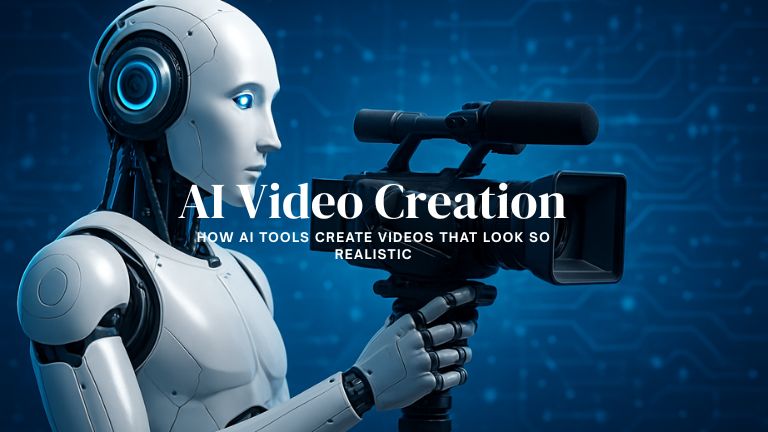
You may have seen videos on social media or in the news that look absolutely real, but what appears to be real isn’t actually from a camera. The global AI video generator market was estimated to be worth USD 614.8 million in 2024. A report by NTIA indicates that over 65% of mobile internet traffic worldwide is spent on video viewing on social media and other platforms. These figures clearly show that video content popularity is rapidly growing, and AI tools are meeting this growing demand. Let’s find out what these AI video creation tools are and how they create realistic-looking videos.
What is AI video generation?
AI video generators are software based on technologies like machine learning and computer vision that analyze millions of images and video data to create video content according to the user’s demand. These software and tools take queries from the user, automate the video generation process, and produce high-quality videos in a short time. They are trained on countless inputs, including thousands of images, video clips, and text, to analyze various scenarios. These tools can create videos from large amounts of text, images, or audio input. For example, you can write text to describe a specific scene or story, and the AI tool will generate a relevant video for you.
AI video generators are capable of creating high-quality videos, automating the process of creating video content through machine learning algorithms. Text-to-video tools take commands about what to show in the video; they then convert that text into a frame sequence using natural language processing (NLP). However, it is difficult to create human-like content that AI generates, whether it is text, images, or videos.
Video Creation Process
Many technical components go into video creation. Video creation is much like filmmaking, but with a creative computer program. The main components are:
- Data training: Models are trained on large datasets. It allows them to learn patterns and achieve realism.
- Diffusion models create clear, realistic images by gradually adding noise to an image and then learning to remove it.
- Transformers: These understand text input and maintain sequential motion across video frames. Transformers look at relationships between frames to create continuity in the video.
- Cloud and GPUs: Modern GPUs and cloud computing enable AI models to perform heavy calculations quickly.
- Prompts and storyboards: Tools are typically given text or scripts. This input describes what to show in the video, such as scene descriptions or dialogue. The AI model converts this into a frame sequence.
The combination of these techniques makes videos appear natural and realistic. Maintaining temporal consistency is also crucial in video creation. For example, if a person is walking in one frame, the next frame should show them moving forward; the AI understands this and generates successive frames.
Elements of Realism in Video
Videos appear realistic when the details and expressions in every frame are perfect. AI models learn how lighting, color, facial expressions, and object textures are perceived by watching large numbers of real videos.
For example, to perfect facial expressions and lip-sync (when the avatar speaks), the AI models have watched thousands of recorded videos. This ensures the lip movements and voice of the AI-created avatar are consistent. Similarly, to maintain the dynamic of the video, there must be consistency between frames. Lighting, color, and perspective are also considered in interconnected scenes. Overall, high-quality training data and smart algorithms create videos so realistic that you will be amazed.
Lip-sync and voice AI tools perfectly match the avatar’s lip movements with the voice. AI talking photo and video tools make the video sound natural.
Landscape and environment models analyze the entire scene to realistically render the weather, lighting, and color.
Accounting for light and shadow requires AI to understand the direction from which light is coming. This creates natural shadows and lighting in a scene.
Uses of AI Video
AI video tools are gaining popularity in many sectors today. For example, a Fortune Business Insights report indicates that the text-to-video segment alone was worth USD 284.3 million in 2024. They hold a special place in marketing and education. Companies are leveraging AI video platforms to create product demos, advertisements, and training videos. Many are experimenting with personalized advertising or training videos. Educators are also using these tools for online learning content. Furthermore, this technology is increasingly being used in business for product launches, customer training, and internal training videos. These tools are easily creating short, engaging videos on social media that quickly go viral. AI video tools are enhancing creativity in industries and reducing video production costs.
Top Video Generator Examples
Some popular video generator tools are:
- OpenAI Sora: Sora excels at producing high-fidelity videos with complex scenes and realistic character movements.
- Runway Gen-3 Alpha: Known for high fidelity and precise control over elements and camera movements.
- Adobe Firefly Video / Google Veo: Emerging models integrated into broader creative suites, aiming to turn written prompts into high-quality, easily shareable content.
At the end,
Video creation has become easier than ever with modern AI technology. You can create any visionary video that looks realistic but can still be recognized as ‘it is an AI-generated video’. Because AI is still not able to produce 100% real video as our smartphones and video cameras can. AI tools create videos by using deep learning models. They are trained on vast datasets to understand text prompts and generate corresponding visuals. They often combine techniques like text-to-video generation, image-to-video animation, realistic avatar creation, voice synthesis, and post-processing enhancements.